A little code.
Something to remember.
Explore the source, flip the cards, and open the generated decks in Anki. These web previews use the same fields as the downloads.
Basic
A Spanish greeting with a question, an answer, and an explicit stable ID. Start here for simple front-and-back cards.
let (front, back) = ("hola", "hello");
let mut project = Project::new("spanish")?.default_deck("Spanish");
project.add("es:hola", Note::basic(front, back))?;
let built = project.build(BuildOptions::to(output.join("spanish.apkg")))?;hola
What does this mean?Question shown.
Cloze
Hide a word in context with Anki’s cloze syntax. This note has one deletion, so it generates one card.
let text = "A sound's pitch depends on its {{c1::frequency}}.";
let extra = "More cycles per second, higher pitch.";
let mut project = Project::new("website-sound")?.default_deck("Sound");
project.add("sound:pitch", Note::cloze(text).field("back_extra", extra))?;
let built = project.build(BuildOptions::to(output.join("sound.apkg")))?;A sound's pitch depends on its […].
Question shown.
Media
An image and a playable tone, packaged with the note. This excerpt uses an ear-training note type defined in the full source.
let (prompt, answer) = ("Name this pitch.", "A4, 440 Hz");
let picture = Media::file(output.join("waveform.svg"))?.with_export_name("waveform.svg")?;
let audio = Media::file(output.join("concert-a.wav"))?.with_export_name("concert-a.wav")?;
project.add(
    "sound:a4",
    model
        .note()
        .field("prompt", prompt)
        .field("answer", answer)
        .field("picture", picture.image())
        .field("audio", audio.sound()),
)?;
let built = project.build(BuildOptions::to(output.join("ear-training.apkg")))?;Name this pitch.
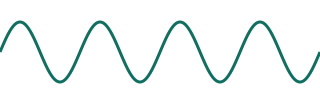
Question shown.
Image Occlusion
A keyed rectangle hides the nucleus in an illustrated cell cross section. The downloadable deck uses the same image and mask as this preview.
let image =
    Media::file(output.join("cell-anatomy.png"))?.with_export_name("cell-anatomy.png")?;
Ok(Note::image_occlusion(image)
    .mask(Mask::rect("nucleus", 296, 106, 240, 232))
    .build()?
    .field("header", "Cell anatomy")
.field("back_extra", "Nucleus"))Which structure is hidden?
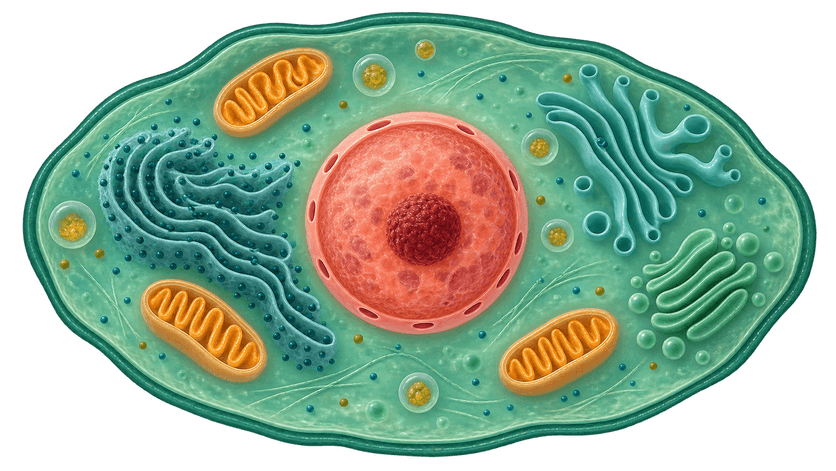
Question shown.
One note, two versions.
The second build changes the answer from “hello” to “hello; hi”. It compares against the first package and checks that the note identity is preserved.
let comparison = project.compare(CompareOptions::against(&previous))?;
ensure!(comparison.policy().allows_publication());
let built = project.build(BuildOptions::to(&next).update_from(&previous))?;es:holahola
hello
Try a content change.
Comparison results: RISK.NOTE_CHANGED (low). Publication policy: allows this change.
Download v1Download v2Comparison reportKeep the original distribution APKG. Import settings and newer local edits affect updates. Update guide
Anki’s import settings and local edits affect how updates are applied. The previews show content and identity; card styling and review behavior come from Anki.